What Tools Do I Use to Make Games?
By DUCK_BERET
March 24, 2022
Categories: Game Development
Here are the tools I used to make Chessplosion's code, art and music:
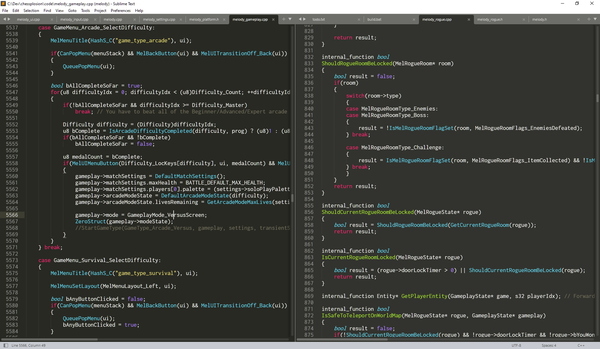
Code: C/C++ Language, Sublime Text
Chessplosion is programmed in the C/C++ programming language, without using a game engine. “C/C++” just means that I technically use C++, but I usually stick to the features that are available in both C++ and C.
Instead of using an all-in-one code editor like Visual Studio for code editing and compiling and debugging, I use the Sublime Text text editor and I only use the compiler part of Visual Studio. This is all personal preference, and you should use whatever you want!
Code (Development Tools): dear imgui
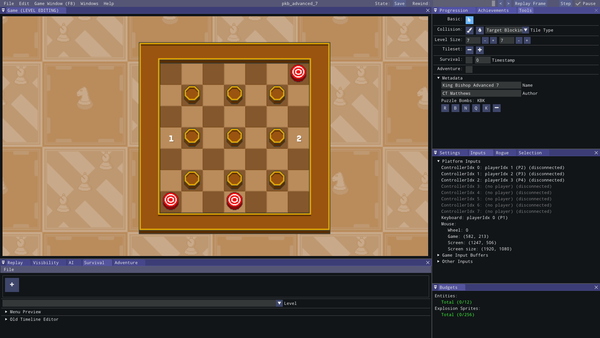
There’s a code library (i.e. some code that other developers can use in their own programs) called dear imgui, which lets people quickly build menus and windows into their games. I used it to create Chessplosion’s internal development tools, which were used for things like creating the game’s levels and displaying internal game data.
It’s one of the best code libraries I’ve ever used, and you should use it if you ever program a game without an engine! You might even notice it being used in a couple of other programs in this list.
Code (Debugging): RemedyBG
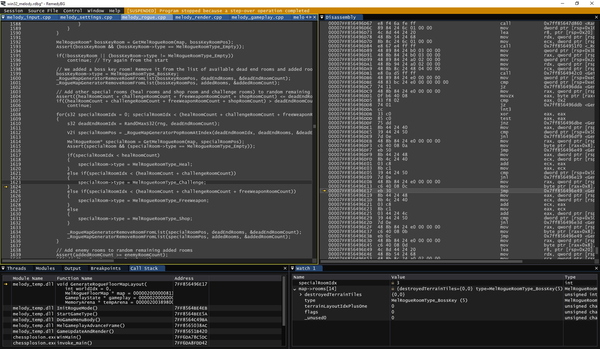
RemedyBG is the debugger I used during Chessplosion’s development. It’s a program that lets you pause the game on any line of code that you want, at which point you can tell it to execute one line of code at a time while you watch the values of all the in-game variables to see what’s going on.
Debuggers are an incredibly useful tool for making sure that your code works the way that you think it does, or for tracking down hard-to-find bugs.
Code (GPU Debugging): RenderDoc
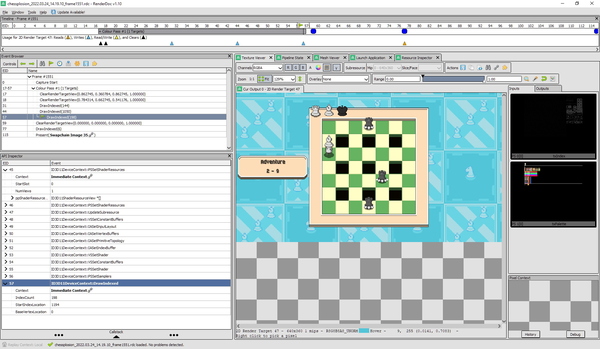
Graphics cards are pretty complicated, and it can sometimes be hard to figure out exactly what your game’s graphics code is doing or why it isn’t working. I wrote Chessplosion’s graphics code using the Direct3D 11 API, and I used the RenderDoc graphics debugger whenever I had a problem.
This lets you look through all of the graphics commands that you send to the GPU in a certain frame, along with what the screen looked like after that command, and which textures you were using, and so on. I wouldn’t have been able to make Chessplosion without it.
Code (Profiling): Tracy
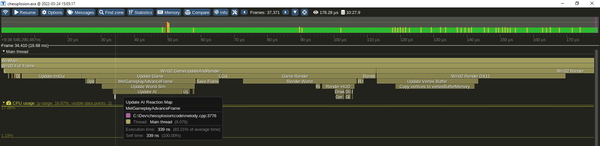
Profiling is the term for measuring how fast your code runs, which helps you figure out which parts of your code need to be optimized. I used Tracy to profile Chessplosion’s code, which helped me spot some slow parts during development (e.g. Japanese text rendering) so I could optimize them. This is how Chessplosion keeps a consistently high frame rate, even while using rollback netcode on older hardware.
Art: Aseprite
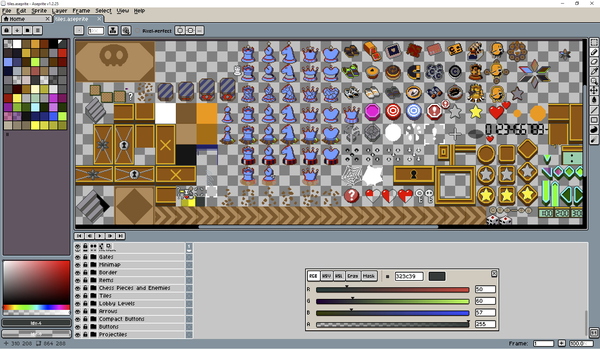
All of Chessplosion’s pixel art was drawn in Aseprite. It’s a pixel art editor with a ton of helpful features, including letting you see how a sprite looks with various color palettes. This let me draw Chessplosion’s art while seeing how it would look in all of the different in-game color schemes. I highly recommend it for anyone who’s interested in drawing sprites!
Art: Clip Studio Paint
Clip Studio Paint is what I use for all non-pixel art. Chessplosion was all pixel art, so I only used Clip Studio Paint when I had to edit the Steam store page art images to fit various resolutions and aspect ratios. One day I’ll make a game with HD 2D art when I get better at drawing!
Music/Sound: Reaper
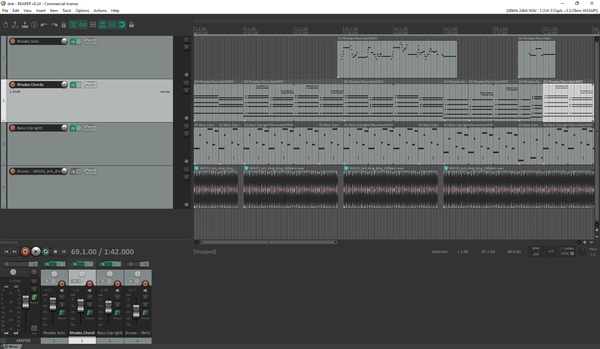
I used Reaper to create Chessplosion’s music and edit the sound effects. It’s an audio workstation similar to FL Studio, Ableton and so on, but they’re all pretty similar at a basic level. Use whatever you want!
As for the specific instruments/VSTs, I used the Scarbee Mark 1 electric piano, an upright bass from Kontakt Factory Selection, and drum samples from Splice. I played all of the piano parts with a Akai LPK25 mini MIDI keyboard.
Which tools do I recommend?
If you want to make games, you should use whichever tools you want. These are all the right choices for me, but they’re not necessarily right for you. You might be better off making a game using an engine like RPG Maker, Ren'Py, Godot or Game Maker, or making pixel art with Pro Motion or GraphicsGale, or using any other DAW (digital audio workstation) for making music.
Try things out and see what feels good for you. Regardless, I hope this helps give you an idea of how Chessplosion was made!